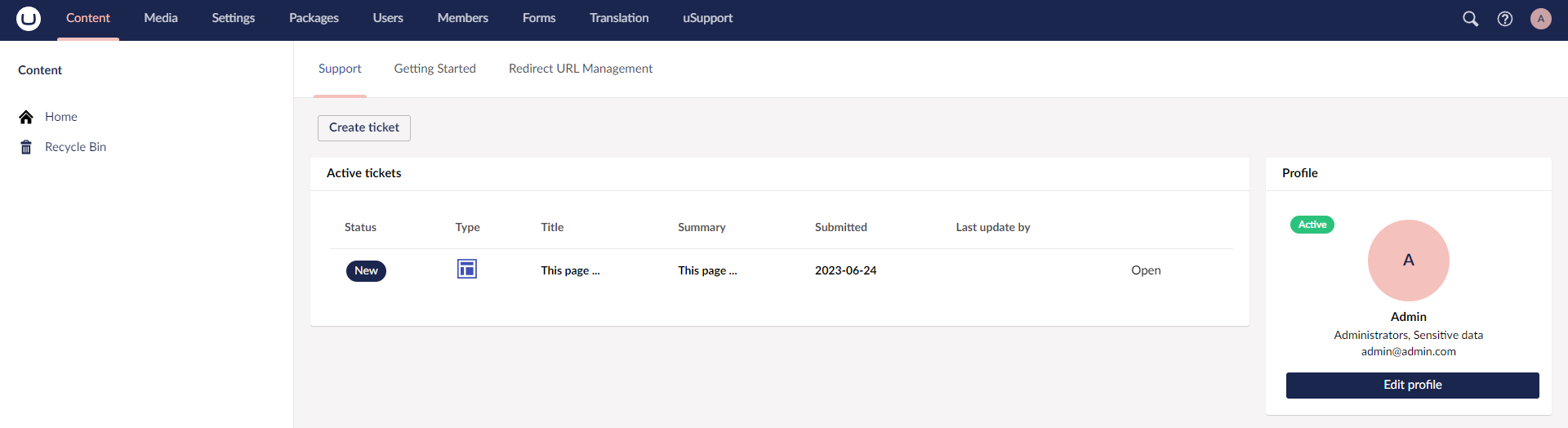
What is uSupport
uSupport is a ticketing package for Umbraco that keeps support work inside the backoffice. Editors can create and follow tickets from the Content section, while support staff manage the full workflow from the dedicated uSupport section.
Why uSupport
The package is built around a simple idea: keep the issue, its status, its comments, and its history in one place. Instead of chasing old emails, support teams can work from searchable ticket lists, and editors can track progress without leaving Umbraco.
Key features
- Content dashboard for creating and following tickets
- Dedicated
uSupportsection for support staff - Customizable ticket types and statuses
- Ticket comments, internal notes, and history tracking
- Email notifications
- Searchable active and resolved ticket lists
How to create a ticket
Step 1. Open the dashboard in the Content section and click Create ticket. 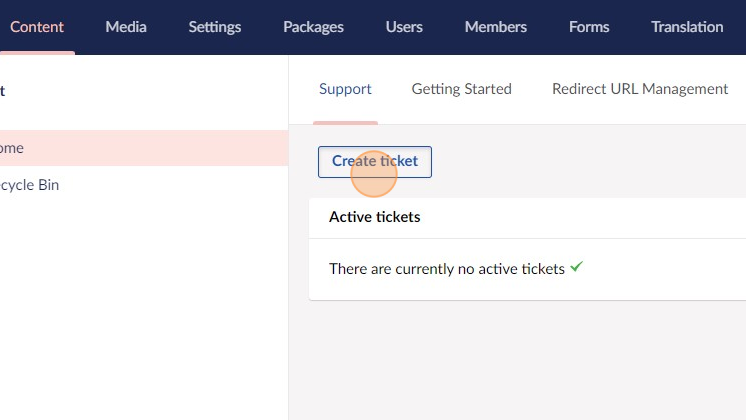
Step 2. Choose a ticket type. 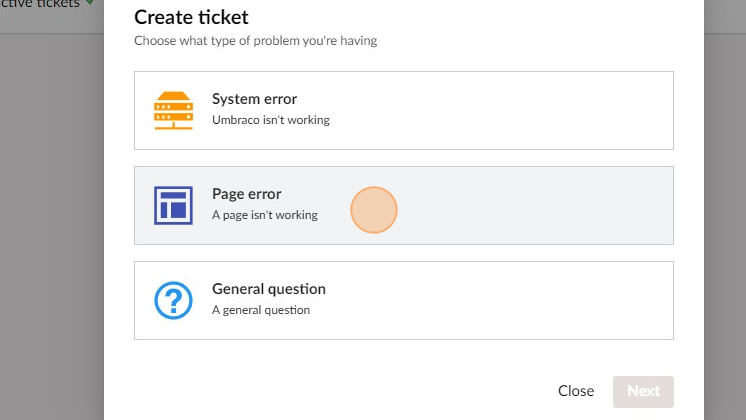
Step 3. If the selected ticket type includes an Umbraco property, such as the default Page error type, complete the extra field that appears. If not, continue to step 4. 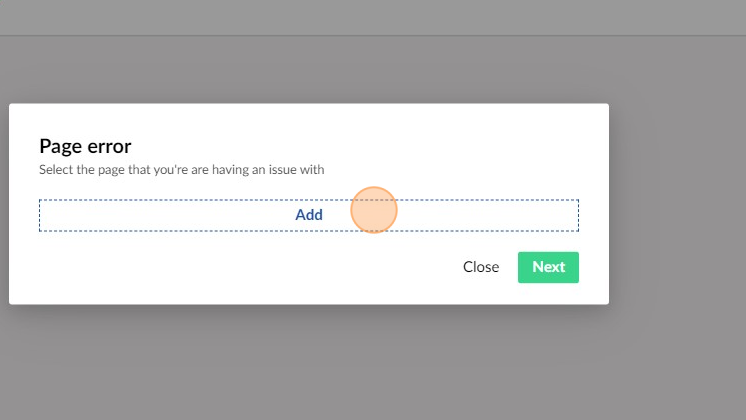
Step 4. Enter the ticket details and create the ticket. uSupport generates an external ticket ID automatically. 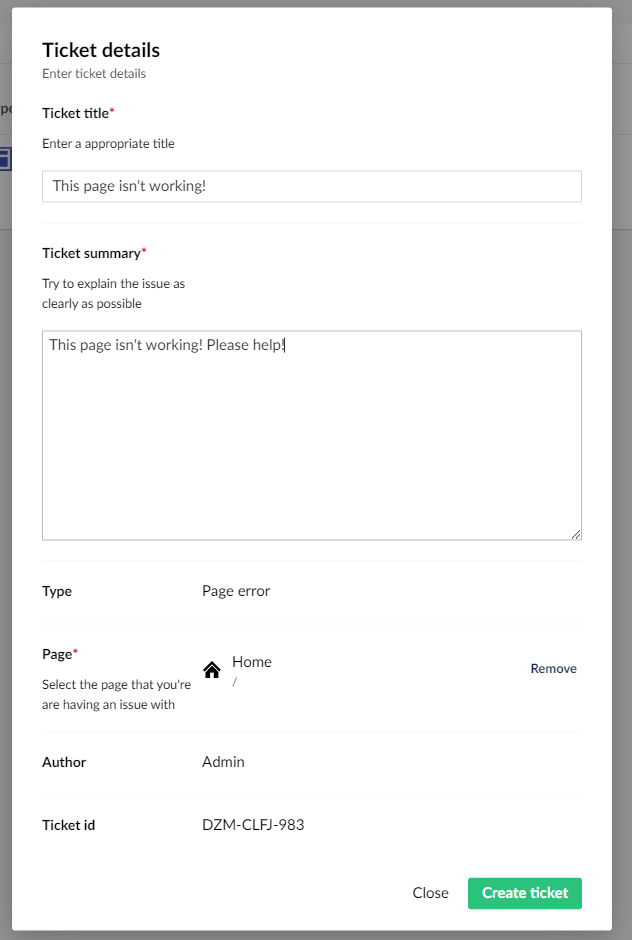
Step 5. The ticket is created with the default ticket status.
Step 6. If TicketUpdateEmail and your SMTP settings are configured, a notification email is sent to the address defined in that setting. 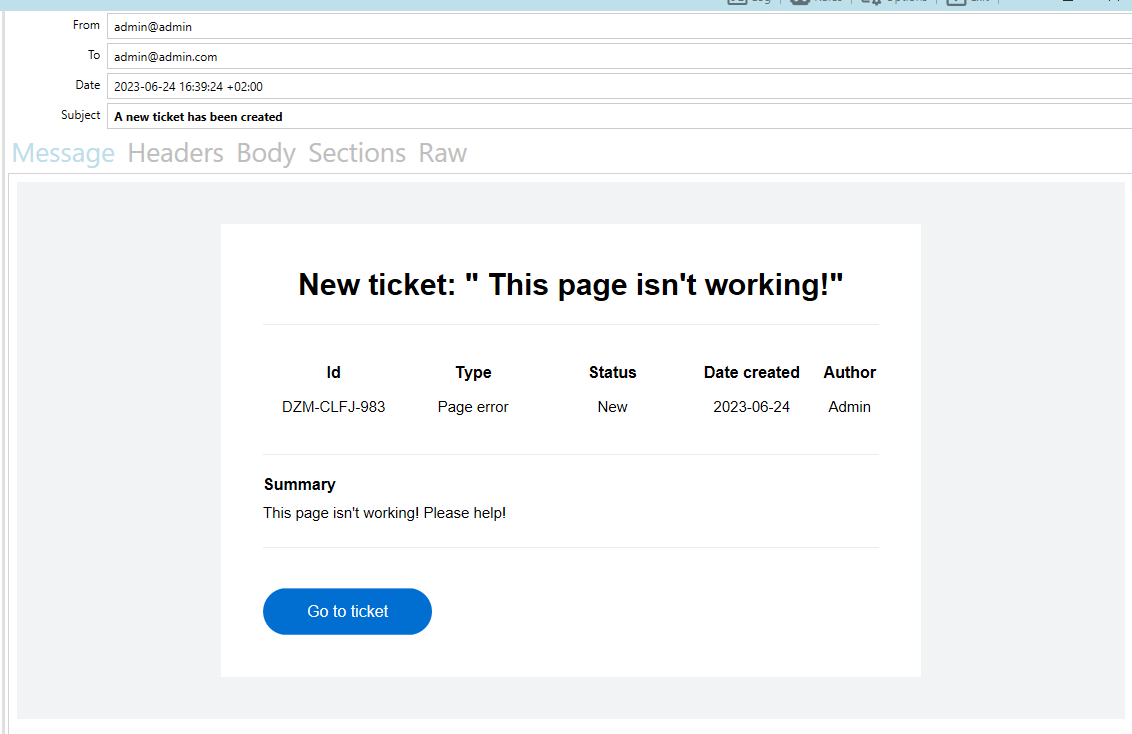
Step 7. Support staff can now manage the ticket in the uSupport section, add comments, update the status, and optionally send update emails to the ticket author.